Scroll Down
Every Design File Has a Dirty Secret
The Challenge
Any designer who's worked on a mature product knows the feeling: you open a file that's been touched by five people over two years and it's a minefield. Detached components that can't be updated. Layers with hardcoded hex values that ignore your token system. Rogue styles applied directly instead of through variables.
This isn't carelessness — it's entropy. Design debt accumulates silently until the moment it bites you, usually during a handoff, a rebrand, or a system migration.
The tools available to audit this debt were either manual (hunting layer-by-layer), incomplete (only catching one type of issue), or locked behind expensive workflows. There was no single plugin that could scan a file, surface every category of debt, and then fix it — right there, in context.
Design-First, Then Build
The Strategy
This project was a deliberate experiment in AI-augmented product creation — not just vibe-coding a feature, but applying a full design process before a single line of logic was generated.
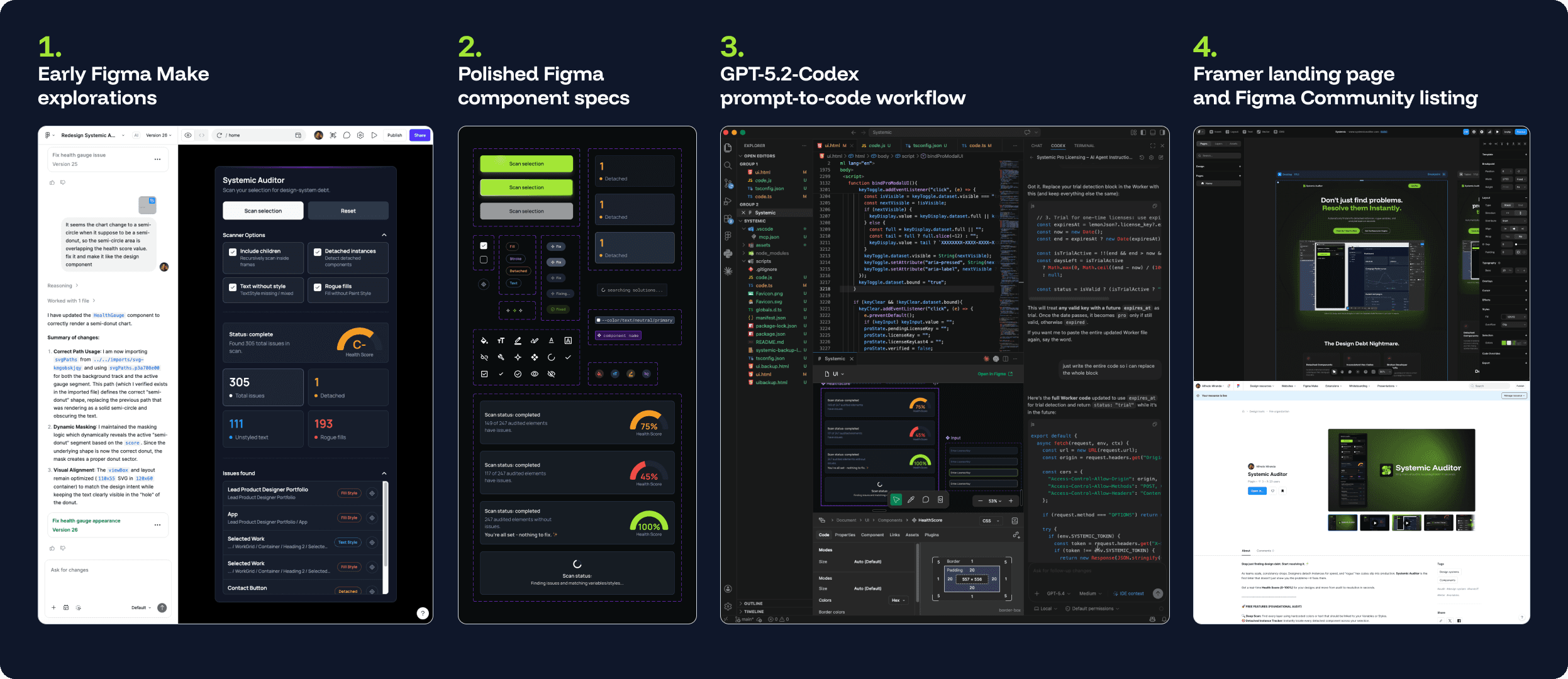
Phase 1 — Define & Iterate with Figma Make
Rather than jumping straight to code, I used Figma Make to iterate rapidly on the plugin's UI and interaction model. This kept the process anchored in design thinking: what does the user see first? What does a "resolved" state feel like? How do you communicate severity without overwhelming the panel?
Multiple layout explorations were tested in Figma Make before locking the direction.
Phase 2 — Polish & Validate in Figma
Once the winning direction emerged, I brought it into Figma proper for final refinement. Spacing systems, component states (idle, scanning, resolved, error), and visual hierarchy were tightened before any handoff to code. This step was non-negotiable — it ensured the final build reflected intentional design decisions, not AI guesswork.
Phase 3 — Build with GPT-5.2-Codex
With a polished, validated design as the source of truth, I used GPT-5.2-Codex to generate the plugin logic through directed, iterative prompting. The design specs acted as a precise contract — ambiguity had already been resolved in Figma. The AI built to a clear target.
Phase 4 — Launch on Figma Community + Framer Landing Page
The plugin was submitted and approved on the Figma Community. The marketing landing page was built and deployed in Framer, using the same design language as the plugin UI to create a cohesive product identity.
What Systemic Auditor Does
The Build
Systemic Auditor scans an entire Figma file and surfaces three categories of design debt that silently undermine system integrity:
1. Detached Instances
Components that have been unlinked from their source — common after copy-pasting from old files or editing a component instead of creating a variant. Systemic Auditor identifies every detached instance and surfaces a path to re-attach or resolve it.
2. Rogue Variables
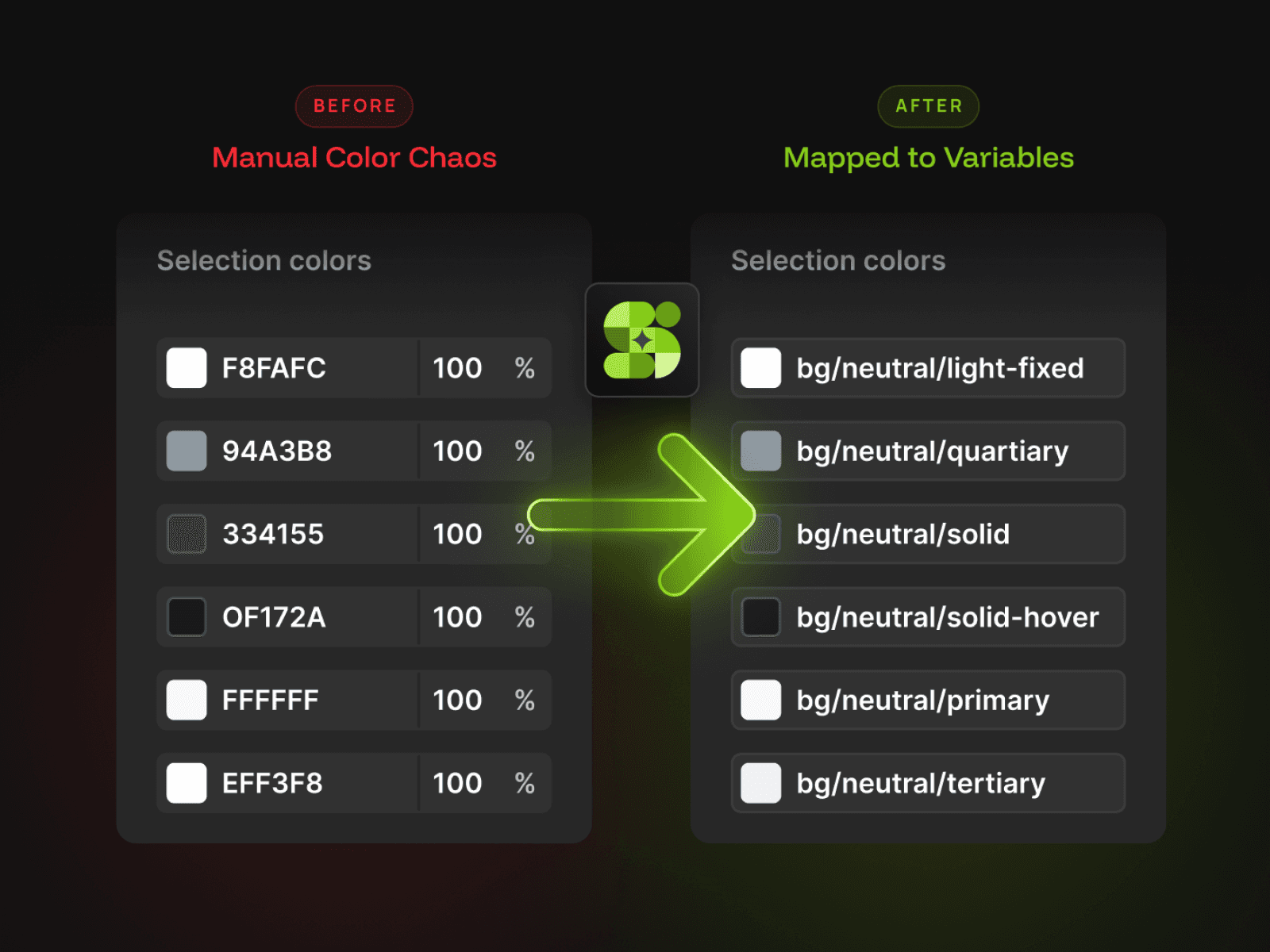
Layers using raw values (hex colors, hardcoded spacing) instead of the file's defined variable system. In token-driven architectures, these are silent time bombs — they survive rebrands and system updates untouched, creating visual drift.
3. Unstyled Layers
Text and shape layers not connected to any style or variable. These are the residue of quick explorations that never got cleaned up, and they accumulate invisibly until a handoff or audit forces them into the open.
The Resolution Engine — available in Systemic Audit Pro — doesn't just flag these issues. It repairs them. Users can batch-resolve entire categories of debt in seconds, with the ability to watch 300+ issues disappear in a single session.
Shipped. Real. Yours to Install.
The Impact
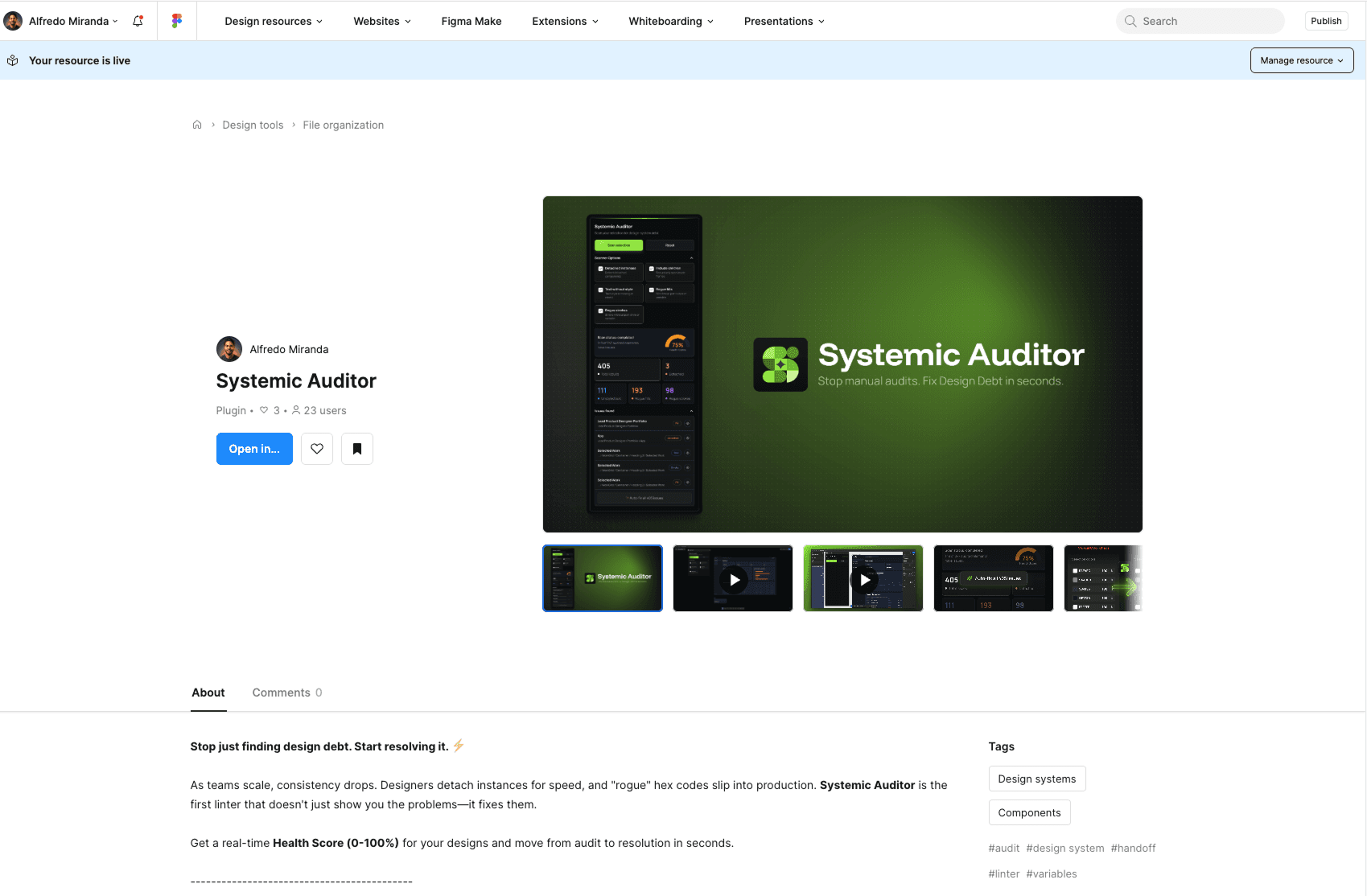
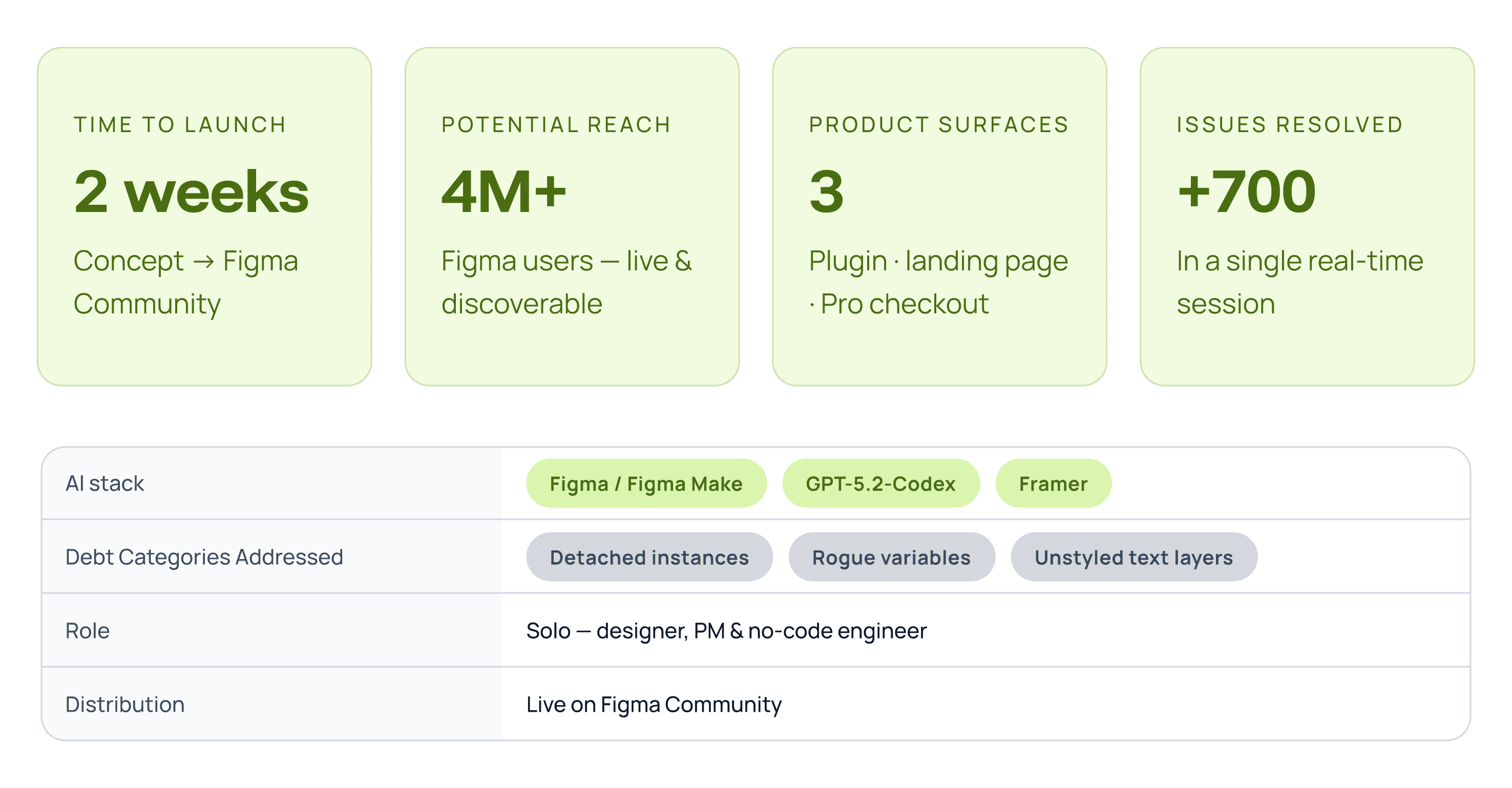
Two weeks. One designer. A fully shipped product — plugin, landing page, and Pro tier — live on the Figma Community and available to every Figma user on the planet.
Systemic Auditor doesn't exist as a case study slide. It exists as a working tool that resolves +700 design debt issues in a single session. That's the metric that matters: not a prototype, not a proof of concept — a product you can install right now.
A New Muscle for the AI-Augmented Designer
The Conclusion
Systemic Auditor wasn't built to prove I could code. It was built to prove that a designer with systems thinking, a clear product hypothesis, and the right AI tools can ship a complete, polished product in two weeks — without sacrificing design quality for speed.
The process mattered as much as the outcome:
Design-first discipline kept the AI tools in their proper role — execution, not direction.
Figma Make compressed design iteration from days to hours without skipping the thinking.
GPT-5.2-Codex translated a well-specified design into working plugin logic because the spec was precise.
Framer enabled a production-quality marketing surface without a front-end team.
The result is a real product — not a case study slide. You can install it today on the Figma Community, or explore the full product experience at systemicauditor.com.
From pain point to product. Two weeks.